Device Management
This section allows you to view and manage all devices that have been used for live broadcasts in your account.
Device View
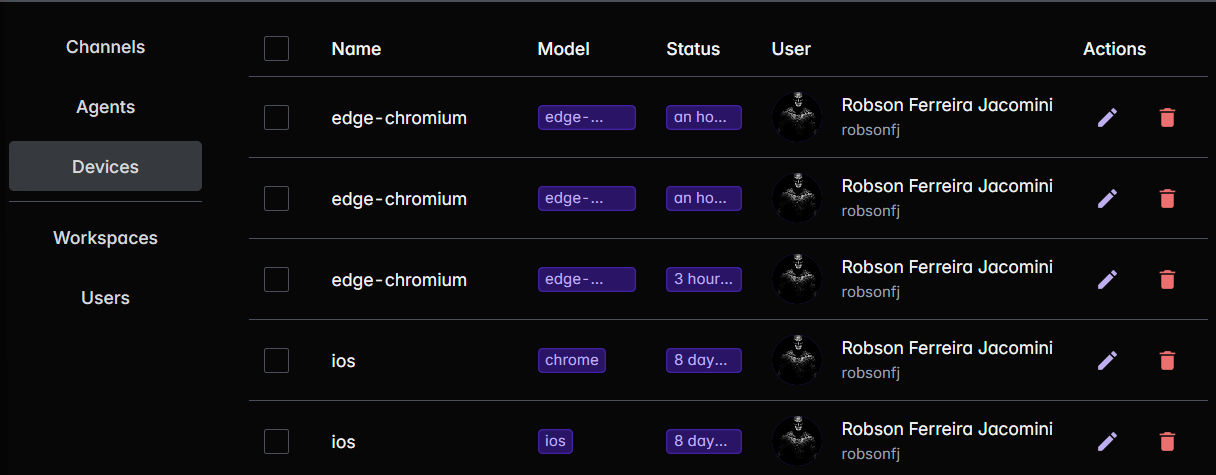
Available Information
| Field | Description |
|---|---|
| Name | Custom device name |
| Model | Hardware/software identification |
| User | Account responsible for device registration |
Available Actions
- 🖋️ Edit: Allows you to customize the device name for easier identification
- 🗑️ Delete: Removes the device from the list (does not affect previous broadcasts)
Bonding: Combining Connections
Under Actions, use Enable bonding to enable the feature for a device. Activation is saved immediately, and Active bondings shows the enabled devices and the account limit.
Then, on Live's Home, open the Wi-Fi and other network indicator on the device card to monitor its connections. See the bonding guide to choose networks, configure the mode, and check the statistics.
Usage Tips
- Maintain descriptive names for easy identification
- Remove unused devices to keep the list organized
- Periodically check active devices for security purposes